Register Paper Information
By registering the paper size and the media type loaded in the top feed or the manual feed tray, you can prevent the printer from misprinting by displaying the message before printing starts when the paper size or the media type of the loaded paper differs from the paper settings.
 Note
Note
-
The default setting for displaying the message which prevents misprinting varies depending on the printing method.
When you load paper in the top feed and close the feed slot cover, or load paper in the manual feed tray:
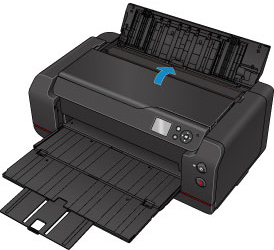
The screen to register the paper information is displayed.
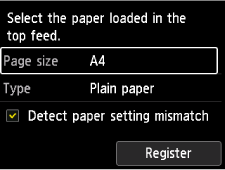
If the loaded paper matches the paper information displayed on the printer's LCD, select Register.
If it is different, select Page size or Type. Then register the correct paper information.
 Important
-
For the appropriate combination of the paper settings specified in the printer driver and the paper information registered in the printer, refer to the following.
When the paper settings specified when printing differ from the paper information registered in the printer:
Ex:
- Paper settings specified on the printer driver when printing: A5
- Paper information for the top feed registered in the printer: A4
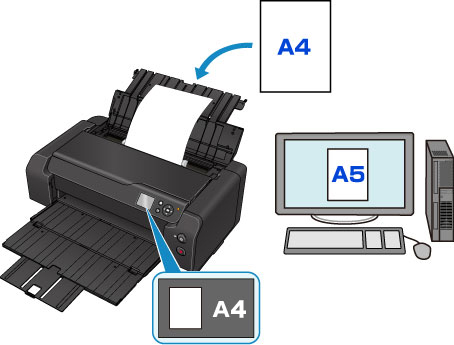
When you start printing, a message is displayed. Resolve the error according to the instruction on the screen.
Default Setting for Displaying the Message which Prevents Misprinting
-
When you print without using the printer driver (when printing from the printer's operation panel or smartphone/tablet):
The message which prevents misprinting is enabled by default.
To change whether to display a misprint prevention message when printing without using the printer driver:
-
When you print using the printer driver:
The message which prevents misprinting is disabled by default.
To change whether to display a misprint prevention message when printing using the printer driver:
- Changing the Printer Operation Mode (Windows)
- Changing the Printer Operation Mode (macOS)
Important
-
When the message which prevents misprinting is disabled:
The printer starts printing even though the paper settings for printing and the paper information registered to the printer are different.
